Connect Monday & Qase for Unified Test Management Workflows
Link Qase test artifacts with Monday items to align testing and product/project teams with shared context and visibility

Trusted by industry-leading companies





.png)

Sync QA and work management for better collaboration
Qase’s Monday integration brings test management into your work OS so teams can see quality data in the same system where they plan and execute work. Link test cases, test runs, and defects to Monday items, create items from test failures, and configure status mappings so updates flow between systems, reducing manual status checks and improving cross-team alignment.
What You Can Do with Monday + Qase
 Link test cases, runs, and defects to Monday items
Connect any Qase test case, test run, or defect with a Monday item so broader teams see quality artifacts alongside project tasks and work items.- Create Monday items from test outcomes
When a test fails in a Qase run, you can create a new Monday item directly, keeping product and planning teams instantly aware of issues without switching tools. - Configure status mapping between systems
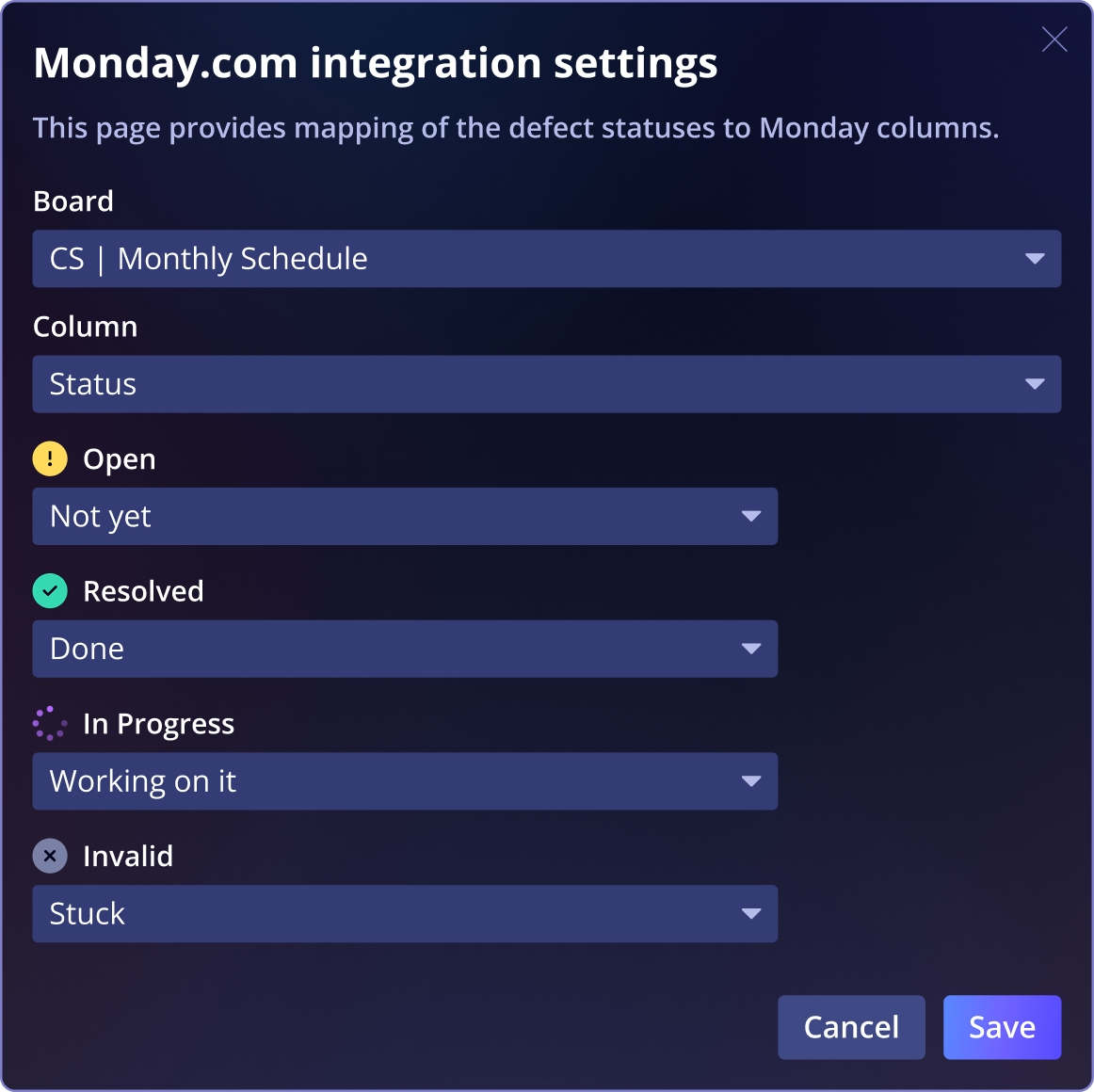
Map Qase defect statuses (Open, In-Progress, Resolved, Invalid) to corresponding Monday item states so progress and resolution automatically reflect where work is tracked. - Keep teams aligned with automatic syncing
Once linked and mapped, status changes in Monday or Qase push updates bi-directionally, reducing manual follow-ups and ensuring both QA and operational teams see the current state.
See Qase's Github CI Integration
Frequently asked questions
Can I link existing Monday items to Qase artifacts?


Can I create a Monday item from a failed test?
Will status changes sync between Monday and Qase?
What do I need to connect Monday with Qase?
Can I unlink items later if needed?