Connect Qase & GitLab for Aligned Testing and Dev Workflows
Link test cases, test runs, and defects in Qase with GitLab issues to keep testing and development coordinated and traceable.






.png)

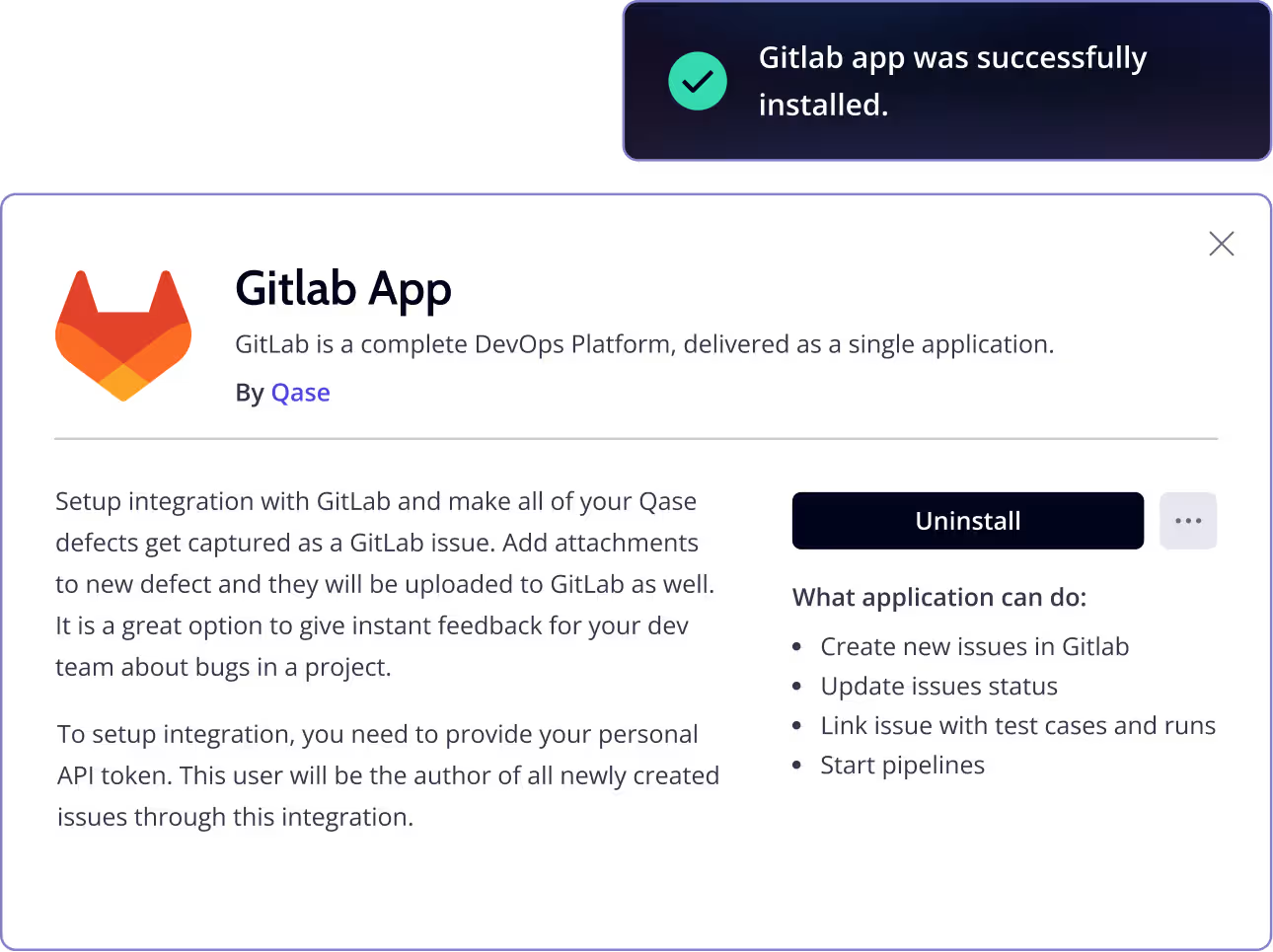
Sync issue tracking, test outcomes, and automated workflows
The GitLab integration lets you associate key QA artifacts from Qase with issues in GitLab and bring CI/CD results into your test reporting. Create or link GitLab issues when defects arise, synchronize statuses between both tools, and connect automated runs so quality data flows into the systems your team works in each day.
What You Can Do with GitLab + Qase
 Link Qase test artifacts to GitLab issues
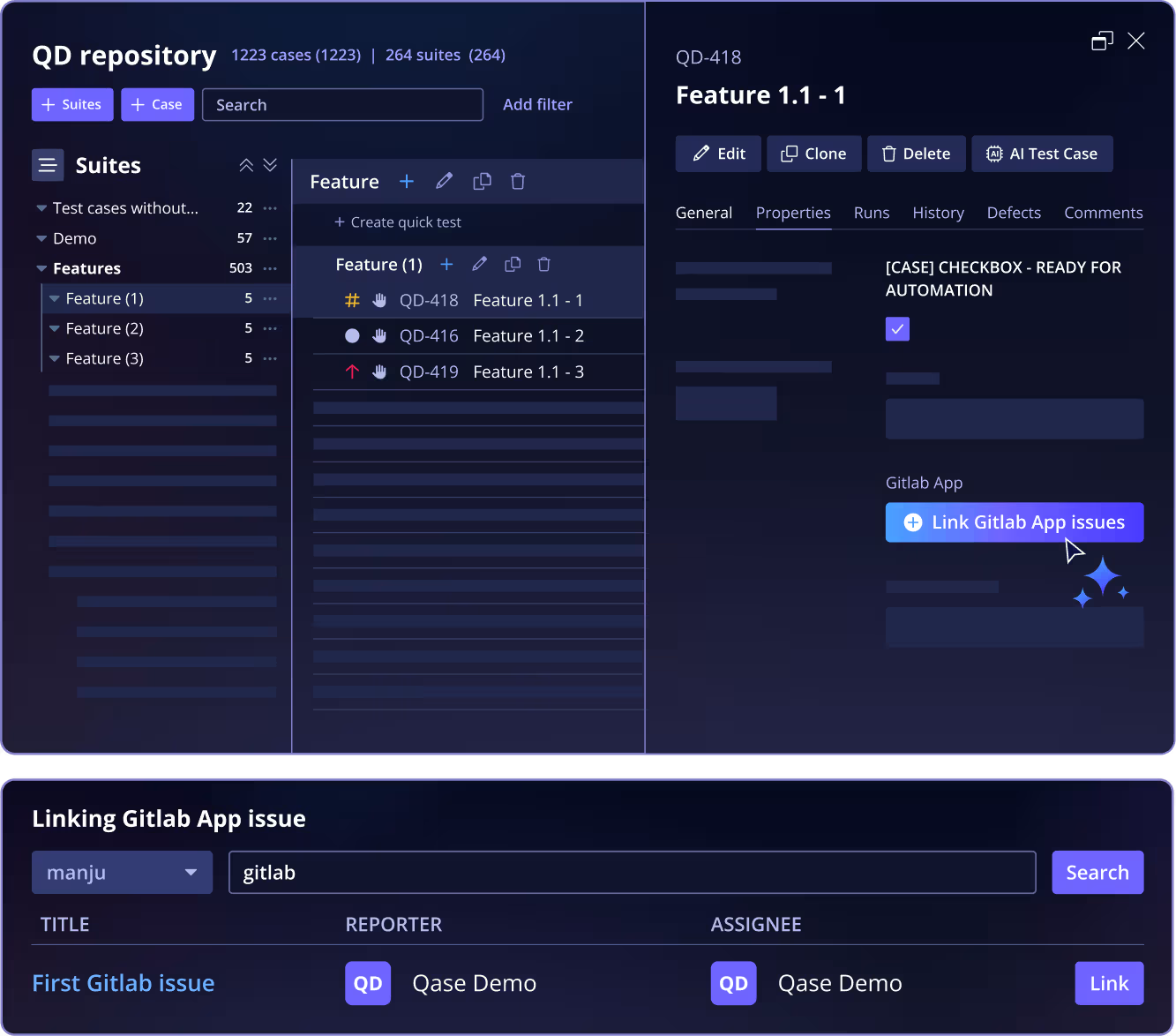
Associate an existing GitLab issue with a Qase test case, test run, or defect using the “Link with Apps” controls in Qase.- Create GitLab issues from failed tests
When a test run detects a failure, you can create a new GitLab issue or link an existing one directly from the Qase defect creation flow. The linked issue is visible both in the Qase defect record and the test run’s defect tab. - Status synchronization between Qase and GitLab
Once a GitLab issue is linked to a Qase defect, resolving or closing it in one system updates the linked item in the other, helping keep QA and development aligned. - Execute automated runs in GitLab from Qase
With a GitLab workflow connected and the Qase reporter configured, you can trigger GitLab automated runs from the Qase test runs screen and see links to the workflow run status and results back in Qase.
“Defects automatically go into Jira, so our development teams don’t have to look at the test results or interact with Qase, the results simply integrate into their development workflow.”
 View case study
“Qase has revolutionized the way our team handles test management. This platform stands out with its intuitive interface, comprehensive features, and seamless integration capabilities.”
View case study“Qase’s Jira integration has been transformative. It allows us to document and attach test scenarios or executions directly to Jira tickets, providing seamless visibility and communication between the testing and development teams.”
View case studyWhat Users Say About Qase
Frequently asked questions